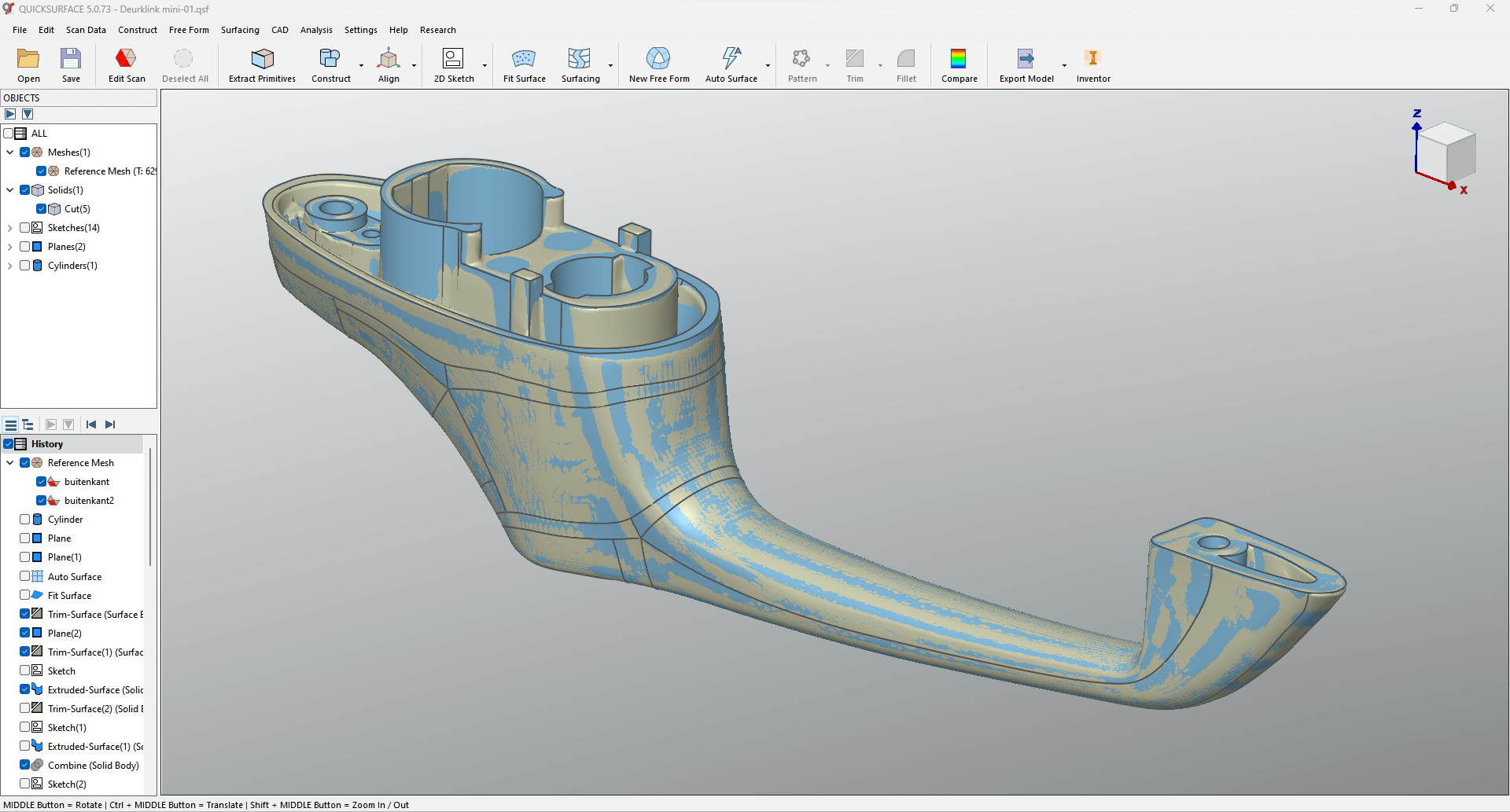
The main job of professional 3D reverse engineering software is to turn the geometric data that a 3D scanner collects into a usable, editable parametric Computer-Aided Design (CAD) model. This translation is hard because raw scan data, like a point cloud or polygon mesh, doesn’t have the math and design intent that CAD systems need to make and change things. So, the main things this specialized software does are prepare data, interpret geometry, rebuild models, and check their accuracy. The 3DeVOK system and other platforms with dedicated tools like QUICKSURFACE bring these important tasks together into a single workflow, making it easier for engineers to go from a physical object to a final, manufacturable digital asset. It would take too long and often be wrong to turn high-fidelity scan data into a usable engineering model without these special features.
Preparing Data and Optimizing Mesh
The first thing that any 3D reverse engineering software does is get the raw data ready for processing. This is often called “pre-surfacing.” Even the most accurate 3DeVOK scanners can produce scan data that has noise, misaligned segments from multiple passes, and extra parts, like the scanning base or background clutter. Because of this, the software needs to have strong tools for editing and optimizing meshes. These tools make it easy for the user to cut out unnecessary data, get rid of stray or outlier points, and do important things like fill in holes to make a “watertight” mesh. The 3D scanning reverse engineering software must be able to handle the alignment and registration of more than one scan file at a time. For example, QUICKSURFACE has strong alignment tools that let you accurately stitch together multiple scans from different angles. It can do this automatically by using common features or manually by using extracted geometric primitives to create a single, cohesive coordinate system. These basic cleaning and aligning are very important because the quality of the prepared mesh is what determines how accurate all the modeling steps that follow will be.
Extracting and aligning geometric primitives
3D reverse engineering software is great at getting exact geometric primitives like planes, cylinders, cones, and spheres from scan data that isn’t perfect. It fits perfect mathematical shapes to certain mesh areas using Primitives Extraction. This gets rid of scanning noise and brings back the original design intent.
These primitives also help with precise Object Alignment. The software uses extracted features like three orthogonal planes to line up the model with world coordinates. This makes sure that the CNC machining or digital assembly is done in the right way. Advanced systems automatically apply geometric relationships like perpendicularity and parallelism. This makes sure that scans are accurate and that math is correct for engineering uses.
Parametric and Free-Form Modeling Together
The most advanced 3D scanning reverse engineering software employs Hybrid Parametric Modeling to reconstruct solid models through two complementary approaches. For mechanical components, users create dimensioned 2D sketches on mesh cross-sections and convert them into 3D features via extrusion and revolution, maintaining full parametric history for subsequent modifications.
For organic shapes like automotive panels or product casings, the software provides Free-Form Surface Creation to generate precise NURBS surfaces that closely conform to scanned contours. Advanced systems further enhance efficiency with Automatic Surfacing, tiling complex curved areas with multiple NURBS patches through single-click operation. This hybrid workflow ensures the 3D scanning reverse engineering software delivers both precision and efficiency, transforming scanned data into editable B-rep models suitable for mechanical engineering and industrial design applications.
Validation and export integration in real time
The last core function that can’t be changed is model validation and smooth data export. The best 3D reverse engineering software has a Real-Time Deviation Analyzer that works during the reconstruction process. This tool makes a map right away that shows the exact distance between the CAD surface being built and the original reference mesh in color. This ongoing metrological check lets the engineer keep an eye on the accuracy of the reconstruction at every step, making sure that the final model meets all of the required dimensional tolerances.
Lastly, the software needs to be able to export and integrate with any system. It should be possible to move the reverse-engineered model to any downstream application without losing any data or having any problems with compatibility. QUICKSURFACE and other similar programs are made to export the reconstructed CAD geometry in formats that are standard in the industry, like STEP and IGES. This makes sure that the 3DeVOK scanners’ high-precision data and the 3D reverse engineering software’s careful rebuilding can be used right away for simulation, manufacturing, or more design iterations. This closes the loop between the real world and the digital engineering workflow.
